
The Quote Generator can be integrated into your website in several ways, depending on your needs and the platform you're using. Below are detailed instructions for integrating the tool using different methods, such as <iframe>, direct HTML embedding, and linking to an external page.
Table of Contents
- Integration Methods
- Using <iframe>
- Direct HTML Embedding
- Linking to an External Page
- Step-by-Step Instructions
- Customization for Integration
- Best Practices
- Troubleshooting
1. Integration Methods
1.1 Using <iframe>
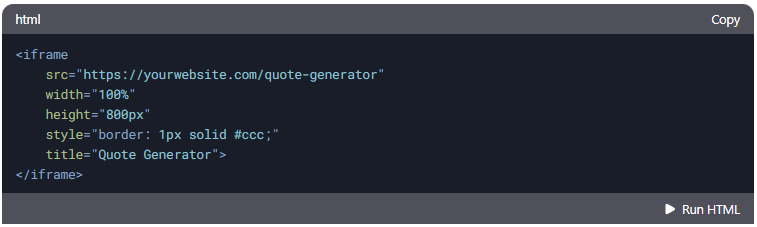
An <iframe> allows you to embed the Quote Generator as a separate window within your website. This is ideal if you want to keep the tool isolated from your main site's styling and functionality.
1.2 Direct HTML Embedding
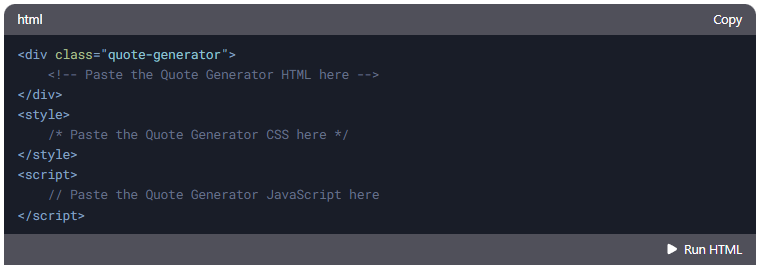
You can directly embed the Quote Generator's HTML, CSS, and JavaScript code into your website. This method is suitable if you want the tool to blend seamlessly with your site's design.
1.3 Linking to an External Page
Host the Quote Generator on a separate page and link to it from your website. This is the simplest method and requires minimal changes to your existing site.
2. Step-by-Step Instructions
2.1 Using <iframe>
- Host the Quote Generator:
- Upload the index.html, CSS, and JavaScript files to your server or hosting platform.
- Ensure the tool is accessible via a public URL (e.g., https://yourwebsite.com/quote-generator).
- Add the <iframe> to Your Website:
- Insert the following code where you want the Quote Generator to appear:
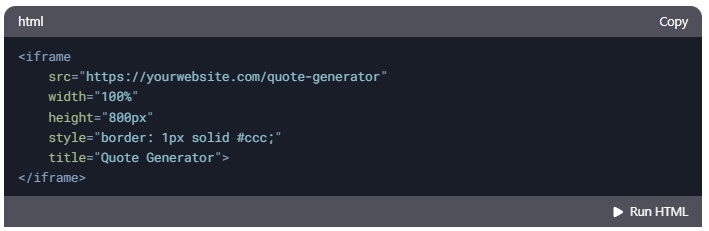
- Adjust the width, height, and style attributes as needed.
- Insert the following code where you want the Quote Generator to appear:
- Test the Integration:
- Open your website and ensure the Quote Generator loads correctly within the <iframe>.
2.2 Direct HTML Embedding
- Copy the Code:
- Copy the HTML, CSS, and JavaScript code from the Quote Generator into your website's codebase.
- Paste the Code:
- Paste the HTML into the appropriate section of your website (e.g., within a <div>).
- Add the CSS to your site's stylesheet or within a <style> tag.
- Include the JavaScript in your site's script file or within a <script> tag.
- Test the Integration:
- Ensure the Quote Generator functions correctly and blends with your site's design.
2.3 Linking to an External Page
- Host the Quote Generator:
- Upload the index.html, CSS, and JavaScript files to your server or hosting platform.
- Ensure the tool is accessible via a public URL (e.g., https://yourwebsite.com/quote-generator).
- Add a Link to Your Website:
- Insert a link to the Quote Generator where you want users to access it:

- Use target="_blank" to open the tool in a new tab.
- Insert a link to the Quote Generator where you want users to access it:
- Test the Link:
- Click the link and ensure the Quote Generator loads correctly.
3. Customization for Integration
3.1 Styling for <iframe>
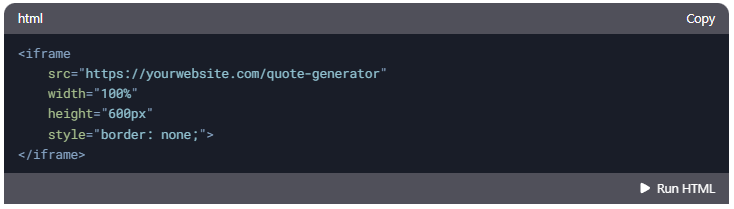
- Adjust the <iframe> dimensions to fit your layout:
3.2 Styling for Direct Embedding
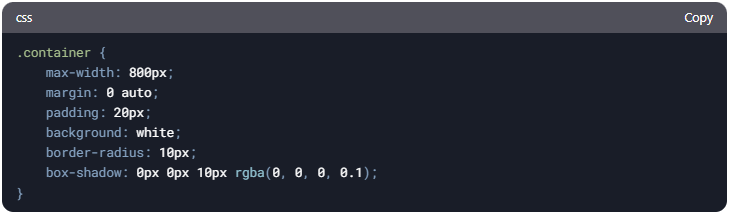
- Modify the CSS to match your website's design:
3.3 Customizing the External Page
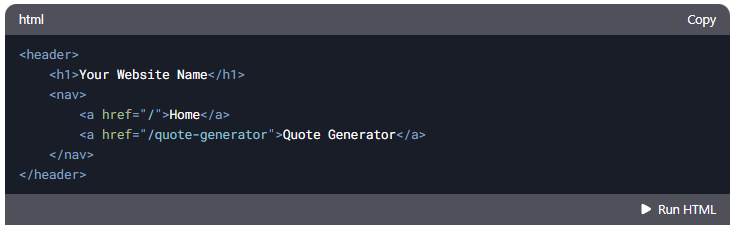
- Update the index.html file to include your website's header, footer, or navigation:
4. Best Practices
4.1 Responsive Design
- Ensure the Quote Generator is responsive by testing it on different screen sizes.
- Use relative units (e.g., %, em, rem) for widths and heights.
4.2 Cross-Browser Compatibility
- Test the tool on multiple browsers (Chrome, Firefox, Safari, Edge) to ensure compatibility.
4.3 Performance Optimization
- Minify the CSS and JavaScript files to reduce load times.
- Use a CDN for the jsPDF and jsPDF-AutoTable libraries.
4.4 Accessibility
- Add alt attributes to images and aria labels to interactive elements for better accessibility.
5. Troubleshooting
Issue: <iframe> Not Loading
- Ensure the src URL is correct and accessible.
- Check for browser console errors related to cross-origin requests.
Issue: Styling Conflicts
- Use unique class names for the Quote Generator to avoid conflicts with your site's CSS.
- Inspect the elements using browser developer tools to identify and resolve conflicts.
Issue: JavaScript Errors
- Ensure the jsPDF and jsPDF-AutoTable libraries are loaded correctly.
- Check for syntax errors or missing dependencies in the JavaScript code.
6. Example Code
<iframe> Integration
Direct HTML Embedding
Linking to an External Page

By following these instructions, you can seamlessly integrate the Quote Generator into your website using the method that best suits your needs. For further assistance, contact support@clochenberg.co.za.